
Blog2Social Social Media API
One Social Media Publishing API. Multiple Ways to Build, Connect and Automate.
Connect accounts and publish content across 25 social networks through one unified infrastructure. Build directly with the REST API or official SDKs, connect AI assistants and agents through the hosted Blog2Social MCP Server, or create automated publishing workflows.
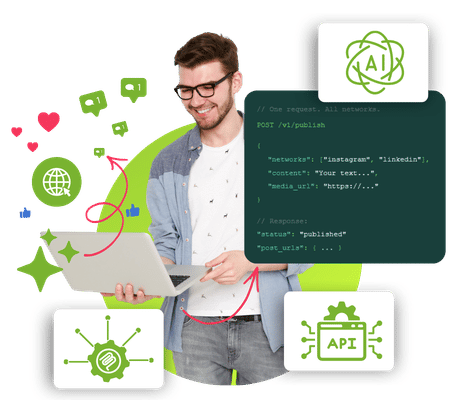
One Unified Publishing Infrastructure
Social Media Publishing Made Simple
Every social network comes with its own authentication flows, publishing rules, media requirements, payloads, limitations, and API changes.
Blog2Social provides one publishing infrastructure for connecting accounts, managing social networks and publishing content across multiple platforms — so your team can focus on your application instead of maintaining individual social media integrations.
25 Social Networks
One unified publishing infrastructure.
One Integration
Standardize authentication, account connections and publishing.
Multiple Options
REST API, SDKs, MCP, AI API Specification and automation workflows.
One API for social media publishing across all platforms
Connect profiles, pages, groups and business accounts and publish through one standardized workflow while Blog2Social handles network-specific requirements
How it fits together
One Platform. Many Integration Options.
Connect your application, AI assistant, or workflow to Blog2Social. Use one platform to manage connected accounts, publish content, and access insights.
Build & Integrate
For custom applications and backend integrations
Connect AI
For AI assistants, agents, and automation workflows
REST API
Direct programmatic access to Blog2Social using HTTP requests.
For developers · Coding required- Full API endpoints
- Flexible integration
- Ideal for custom applications
Official SDKs
Use our official SDKs for Node.js or PHP.
For developers · Coding required- Node.js SDK
- PHP SDK
- Ready-to-use integration tools
AI API Specification
Give an AI coding assistant the machine-readable API specification.
For developers using AI coding tools- Machine-readable specification
- Use with coding assistants
- Build custom integrations and tools
Blog2Social MCP Server
Connect compatible AI applications directly to Blog2Social.
For AI assistants, agents, and MCP clients- Hosted MCP Server
- OAuth authentication
- Use natural-language instructions
One platform.
Many integration options.
 Facebook
 X
X Instagram
 Pinterest
 YouTube
 TikTok
 Bluesky
 Mastodon
Available networks and features depend on your account access and the integration you configure.
Choose How You Want to Integrate
One Platform: Select Your Way to Integrate.
Choose the integration path that fits your application, development environment or AI workflow.
REST API
Build Directly
Integrate Blog2Social programmatically into SaaS products, applications and backend systems.
Best for: Custom applications and backend integrations
Official SDKs
Build Faster
Use the official Node.js or PHP SDK to work with Blog2Social in your preferred development environment.
Best for: JavaScript, TypeScript and PHP applications
MCP Server
Connect AI
Connect compatible AI assistants and agents directly to Blog2Social through the hosted MCP Server with OAuth authentication.
Best for: AI assistants, AI agents and natural-language workflows
AI API Specification
Build with AI
Give AI coding assistants a machine-readable description of the Blog2Social API to generate applications, integrations, SDKs and custom tools.
Best for: AI-assisted development and code generation
Core API Capabilities
Everything You Need for Social Media Publishing
Authenticate users, connect social accounts, publish multiple content formats and track publishing results through one unified social media API.
Authorization
Authenticate applications and users and manage access to publishing functionality.
Social Account Connections
Discover available networks and connect supported profiles, pages, groups and business accounts.
Category Lookup
Retrieve categories for supported networks such as Pinterest, Reddit, and YouTube.
Post Management
Create text, link, image and video posts and publish across supported social networks.
Publishing Status & Post URLs
Receive structured responses, publishing status and direct links to published posts.
Media & Video
Handle images and video publishing, including dedicated upload and processing workflows where required.
User-Specific Apps
Support user-specific applications where required by individual social networks.
Error Handling
Work with structured API errors and publishing responses in your application.
How the REST-API Works
Publish your first social media post in less than 5 minutes
Request your API Key, authenticate a user, connect a social media account, and publish your first post through the Blog2Social REST-API.
Authentication model
The API uses a two-layer authentication model:
service_token = your application access_token = your userAPI Quick Start Workflow
Follow these five steps to connect users and social media accounts and publish your first post.
Authenticate the user
Send your service_token to POST /user/auth. Save the returned access_token and refresh_token for future requests made on behalf of the user.
Get available social networks
Call POST /network/list with the service_token and access_token. Select the required network_id from the available profiles, pages, and groups.
Connect a social media account
Send the selected network_id and its matching network_type_id to POST /network/add. Use 0 for a profile, 1 for a page, or 2 for a group.
Redirect the user to the returned auth_link to complete the connection.
Retrieve connected accounts
Call POST /user/auth/list and save the returned client_user_network_id. This identifier selects the connected account that will receive the social media post.
Publish your first post
Send your content to POST /network/post/create together with the selected client_user_network_id. Choose postFormat 0 for a link, 1 for an image, or 2 for a video.
A response with error: 0 confirms that the post was published successfully.
AI & MCP
Connect AI Assistants and Agents to Social Media
Blog2Social MCP Architecture
In short: your AI application connects to the hosted Blog2Social MCP Server, users authorize access through OAuth, and the AI can work with available Blog2Social tools.
Generating social media content is only one part of the workflow. With the hosted Blog2Social MCP Server, compatible AI applications can interact with Blog2Social through standardized tools and turn natural-language instructions into social media actions.
No local Blog2Social MCP installation is required. Connect a compatible AI application to Blog2Social and work with available functionality for accounts, networks, content and publishing.
Hosted MCP Server
Blog2Social MCP is ready to use without any local installation.
OAuth Authentication
Users authorize access through OAuth instead of sharing their Blog2Social password with the AI client.
Standardized Tools
AI applications can work with available Blog2Social functionality for accounts, networks, content and publishing.
Natural-Language Workflows
Use Blog2Social through AI instructions instead of manually implementing each API call in the AI client.
Automation
Automate Social Media Publishing Workflows
Connect social media publishing with content generation, marketing processes and automation workflows. Use Blog2Social as the publishing layer between your content workflow and connected social networks.
From Trigger to Publishing
Connect the steps of your content workflow and hand social media publishing over to Blog2Social.
Trigger
Start the workflow from an event, schedule or process in your system.
AI / Content Generation
Create or prepare the content that should move into your social media workflow.
Blog2Social
Pass the content into the Blog2Social publishing infrastructure.
Create Content
Prepare the social media content for the selected publishing workflow.
Publish or Review
Publish through connected social networks or route the content into your review process.
Built for teams that want to ship faster
A single integration allows users to publish content across all social media platforms directly from their current work environment.
Pricing API
Start Free. Pay as You Publish.
No fixed subscription. Start with free credits and scale with your publishing volume. You start with 75 free credits and only pay for posts that are actually published — transparent, scalable, no surprises.
Core Networks
Ideal for smaller projects and teams that want to integrate social media publishing quickly — with no upfront costs and ready to use immediately.
11 networks included
Activation directly in the Developer Console
Extended Networks (incl. Core Networks) 🔒 Activation required
For greater reach — with platforms like Reddit, TikTok, YouTube, Medium, and X. Access is granted individually through the Developer Console.
All Core Networks + 14 additional networks
Request Premium access after login
All prices exclude applicable VAT · Billing based on actual usage · Go to Developer Console
Developer Resources
Everything You Need to Start Building
Explore the API reference, choose the right integration path, or review network-specific publishing requirements.
API Documentation
Explore endpoints, authentication, request and response schemas, publishing workflows and API capabilities.
Developer Center
Choose the integration path that fits your project and access guides for REST, SDKs, MCP, AI and automation.
Platform Guides
Review network-specific account connections, content and media types, requirements, publishing workflows and best practices.
FAQ
Frequently Asked Questions about the Blog2Social Social Media API
Ready to implement social media publishing directly into your application?
The Blog2Social API helps you turn publishing into a structured, scalable feature without rebuilding the same infrastructure for every platform.