
Share on Social Media with Claude
Social Media Publishing with Claude
Create, adapt, review and publish social media content with Claude. Connect Claude to Blog2Social through the ready-to-use Claude Plugin or via the hosted MCP Server and turn natural-language instructions into a social media publishing workflow.
Claude Plugin · Hosted MCP Server · OAuth Connection

Claude Social Media Workflows
What Can You Do with Claude for Social Media?
From turning existing content into social posts to adapting messages for different networks, Claude helps you prepare your content. With Blog2Social connected, you can also move from content creation to publishing.
01 / CONTENT CREATION
Turn Existing Content into Social Posts
Give Claude an article, product update or content idea and ask it to create social media posts that communicate the key message.
Example prompt:
“Turn this blog article into three LinkedIn posts highlighting the main takeaways.”
02 / PLATFORM ADAPTATION
Adapt Posts for Different Social Networks
Adjust wording, length and tone for different audiences and platforms instead of publishing the same message everywhere.
Example prompt:
“Rewrite this LinkedIn post for Facebook and Threads. Keep the main message but adapt the tone for each network.”
03 / CONTENT REVIEW
Review and Refine Posts Before Publishing
Check your drafts, request changes and refine your message in conversation with Claude before sending content to your social accounts.
Example prompt:
“Make this post more concise, remove repetitive phrases and show me the final version before publishing.”
04 / SOCIAL MEDIA PUBLISHING
Publish to Your Connected Social Accounts
Once your posts are ready, use the Blog2Social connection to publish content to selected social media destinations from your Claude workflow.
Example prompt:
“Publish the approved LinkedIn post to my connected company page using Blog2Social.”
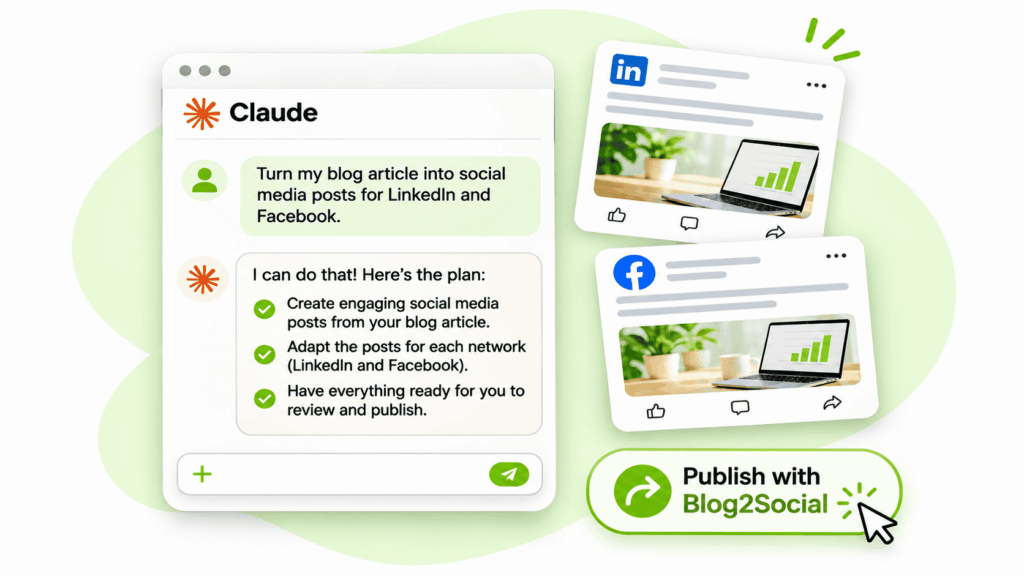
From your first idea to a social media post ready for publishing — all through natural-language instructions.
How It Works
How Social Media Publishing with Claude Works
Publishing social media posts with Claude is simple: tell Claude what you want to share, which social networks you want to reach and how your message should sound.
Claude helps you create and adapt your content for each platform. You can review the suggested posts, request changes and decide when they are ready.
With Blog2Social connected, you can then initiate publishing to your selected social media accounts directly from your Claude conversation.
You focus on your message. Claude helps prepare the content, and Blog2Social provides the connection to your social networks.
From Your Idea to a Published Post
A simple workflow, right from your Claude conversation.
Tell Claude What to Share
Provide your content or describe the message you want to publish.
Prepare Your Social Posts
Claude creates posts tailored to your selected networks and audiences.
Review and Refine
Check the drafts and ask Claude to make changes until you are happy with them.
Publish with Blog2Social
Send your approved content to selected connected social accounts through the Blog2Social integration.
Claude & Social Media
Why Connect Claude to Social Media Publishing?
Claude helps you create great social media content. Connecting it to Blog2Social closes the gap between preparing your posts and sharing them with your audience.
WITHOUT A PUBLISHING CONNECTION
Claude Alone
Claude can help you write and improve social media posts. But once your content is ready, you still need a separate way to publish it.
- Copy content into another tool
- Switch between applications
- Manage the publishing process separately
WITH BLOG2SOCIAL CONNECTED
Claude + Blog2Social
Bring content creation and social media publishing together in one conversational workflow, with access to your connected social accounts.
- Reduce manual copying between tools
- Keep content preparation and publishing connected
- Initiate publishing without leaving Claude
Less switching between tools. More time to focus on your content and your audience.
The Connection Behind the Workflow
How Claude Connects to Social Media via MCP
Claude connects to Blog2Social through the Plugin or a direct MCP connection. Both provide access to the hosted MCP Server and supported social media publishing functions.
Hosted MCP Server
Blog2Social hosts the MCP Server at https://api.blog2social.com/mcp. No installation or server maintenance required.
OAuth Authorization
Authorize access securely through OAuth. No passwords, service tokens or access tokens need to be entered into the MCP configuration.
Connected Social Accounts
Access supported publishing functions for authorized accounts. Available networks and content types depend on your connections and platform requirements.
Claude MCP Architecture
Get Started with Claude
How to Connect Claude to Social Media
Ready to start? Follow the steps for your chosen connection method. Once Blog2Social is connected, you can use Claude to work with your social media publishing tools.
Option 1: Set Up the Claude Plugin
Add the ready-to-use Blog2Social integration to Claude.
Open the Plugin Directory
Visit the Blog2Social listing in Claude.
Add the Integration
Follow the instructions in Claude to add Blog2Social.
Authorize Blog2Social
Sign in when prompted and approve the account connection.
Try Your First Request
Ask Claude to show your connected social accounts using Blog2Social.
Option 2: Set Up the MCP Connection
Add the hosted Blog2Social MCP Server to Claude.
Open Claude Connectors
In Claude, open Settings or Connectors.
Add a Custom Connector
Select the option to add a custom connector.
Enter the MCP Endpoint
Use the Blog2Social server URL:
https://api.blog2social.com/mcp
Complete OAuth Authorization
Add the connector, sign in to Blog2Social and approve the connection.
Need a Step-by-Step Claude Tutorial?
Want to see social media publishing with Claude in practice? Follow our tutorial for connecting Claude to Blog2Social and preparing your first posts.
Connector settings may vary depending on your Claude version and account. Publishing functions depend on your connected Blog2Social accounts and permissions.
FAQ
Frequently Asked Questions About Social Media Publishing with Claude
Ready to Publish on Social Media with Claude?
Create, adapt, review and publish social media content with Claude. Get started with the ready-to-use Blog2Social Plugin or connect directly through the hosted MCP Server.